Make it an RPG adventure
Prepare a quest hook and take your players into your world of adventure. Explore the RPG campaign manager.

Start with one idea. Follow where it leads.
You don’t need centuries of history or a complicated map to start worldbuilding. Begin with a character, a place, or a question you just can’t stop thinking about.
01 / Get it out your head
It’s hard to start worldbuilding when everything’s stuck inside your head. So begin by creating your world and writing your first article. Many writers and GMs like to start with a character. Give them a goal, a fear, or a secret – and start with what you know. Then use the worldbuilding template prompts to help you explore more.
But if it’s a location or piece of history that’s sparked your imagination, start there instead! There’s no “one perfect order” for imagining a world.
02 / Make a connection
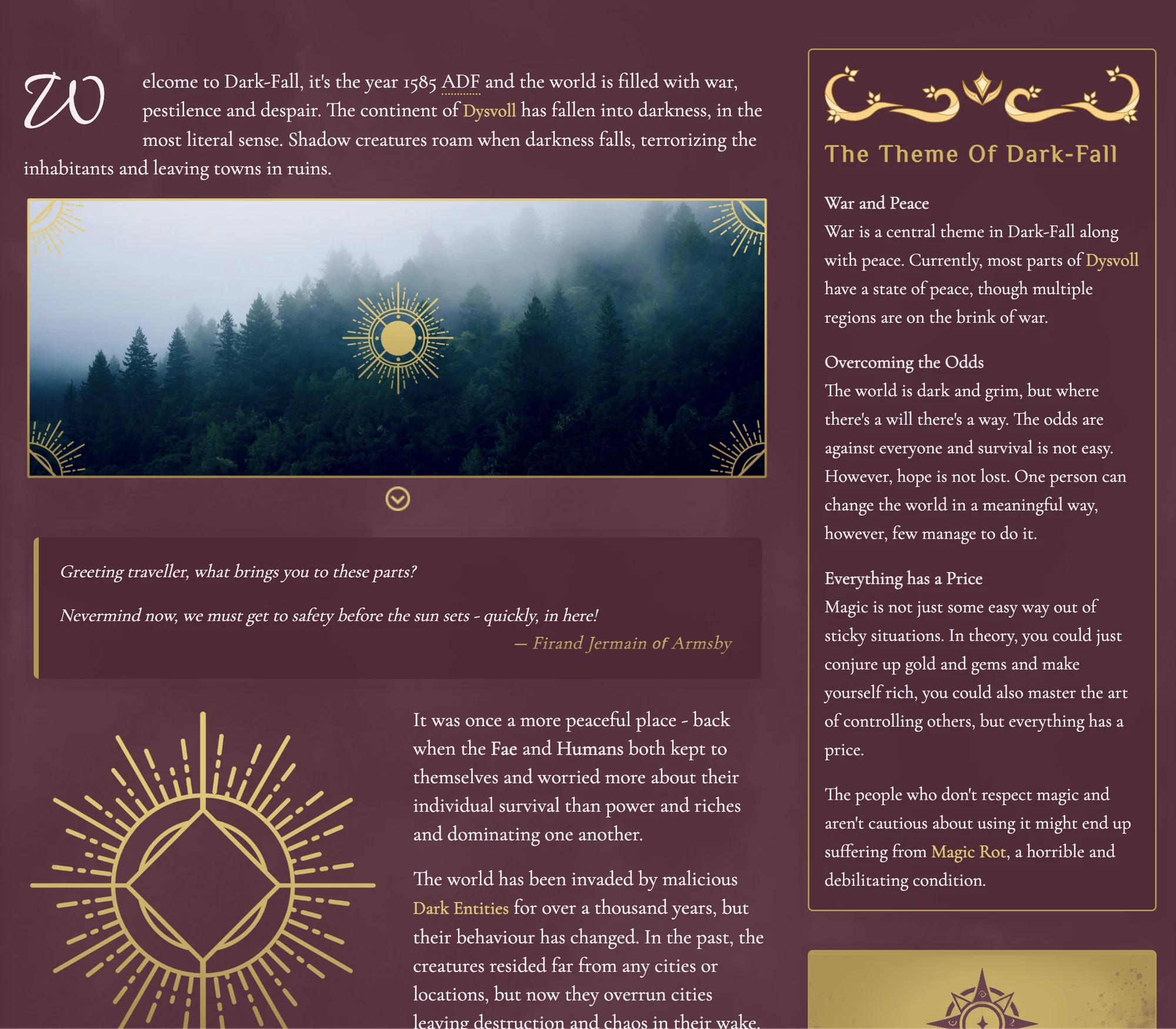
If you started with a character, next describe a place that matters to them. That might be the home they left, or the city they aspire to live in. It could be the ruin they should never have entered! Give that location its own article and link the two.
This is how worldbuilding starts: connections. And you now have a small piece of a connected world. Continue expanding by asking what happened there? Who else cares about this place? And what might change next?
Try this small beginning
03 / Let connections create stories
Prepare a quest hook and take your players into your world of adventure. Explore the RPG campaign manager.
Start with the scene that sparked your idea, and develop it into a whole story. Explore our novel writing software, Manuscripts.
Add your map, develop cultures, or explore your world’s history. Discover the worldbuilding tools.
How to Start Worldbuilding
Start with your inspiration, and get it into words – a World Anvil article is perfect for this. Once you’ve written down what you know, start building connections – for a character, that might be their home town, or their Magic Academy. Keep building until you’re inspired to start your story… and know that the worldbuilding continues as you write or run your RPG adventure!
A simple course will stop you from getting overwhelmed while you learn the basics. World Anvil has a free worldbuilding course that guides you step-by-step through your first steps. By the time you’ve finished the course, you’ll have a clear understanding of the core of your setting, and you’ll know what you need to build next.
No, you don’t need to start worldbuilding with a map. Some creators find map-first inspires them. But others prefer to start with characters, timelines, or an inspirational idea.
The basics… but what that means is different for every writer! If you’re a plotter, start by worldbuilding things from your plot beats – locations, cultures, and items. Pantsers tend to start by worldbuilding their character and their starting location. In both cases, your worldbuilding will get richer and deeper as you write, and again when you redraft.
The classic way is to start your worldbuilding with a tavern in a village. You then expand the area to the nearby city, then the country, then the wider world. You can also try the Agile Worldbuilding method: set up the worldbuilding meta first so your world feels cohesive and well-designed. You can find all the details in World Anvil’s meta worldbuilding section.
Yes, you can worldbuild for fun! In fact, worldbuilding is a great hobby for creative people who love to explore and imagine. It’s also great for your mental health. World Anvil has a community of worldbuilders, turning your worldbuilding into a more social hobby.
You’ll need a worldbuilding software to organize your worldbuilding ideas. There are several on the market so compare worldbuilding software to see which one will work best for you.
Yes, some worldbuilding software lets you start worldbuilding for free. The most prominent is World Anvil, which is the most powerful and best developed and has a generous allowance for free users. Compare different worldbuilding software to see which is best for you.
As you create your account on World Anvil, you’ll already be worldbuilding! You’ll choose genres, write down your core ideas, and get your creativity flowing. World Anvil also has easy-to-follow Get Started guides that take you through each step. Novice worldbuilders can follow the free “how to start worldbuilding” course to learn about worldbuilding and World Anvil in one inspirational experience!
When they help you answer a question, or visualise your worldbuilding! Use an interactive map when geography is important, a timeline when you need to reference your fantasy history, and a family tree to track dynasties and bloodlines.
A worldbuilding software is incredibly helpful when you start worldbuilding. It helps you organize your ideas, so you don’t get confused or overwhelmed. The best worldbuilding tools also inspire you to create more – that might be with worldbuilding templates or a supportive community.
There are lots of amateur resources online, but look for one created by a worldbuilding expert with professional experience. For example, this “How to Start Worldbuilding” course was created by Janet Forbes, a published author and game writer and a world-renowned worldbuilding expert. She’s been a featured guest at WorldCon (the World Science Fiction Convention), and was the inaugural judge of the prestigious “Brian Aldiss Worldbuilding Award” for the British Science Fiction Association.
Built with our community
Explore the changelog for improvements to writing, worldbuilding, and the everyday experience of creating. See what has changed and put it to work in your world.
Use community suggestions to share the changes you want to see and support ideas from other creators. Your experience helps shape what comes next.
Create a free account and start with a small project. Explore memberships when you need more capacity, privacy, or advanced tools. Choose the tools that serve your next step.
Why choose World Anvil?
Beyond your first page of notes lies a rich world of your imagination. Choose a home that’s up to the task.
For the RPG campaign that goes further
You can build a wiki and track some RPG elements on Kanka. But with World Anvil, you can bring your entire RPG campaigns and novels to life.
Choose World Anvil for more control over the way your world looks, who sees what, and how far your campaign can go.
Compare with KankaFor a dynamic world with deep lore
LegendKeeper makes you build article templates from scratch. World Anvil takes the heavy lifting out of worldbuilding. With optional prompts, a statblock library, and a full virtual DM’s screen, World Anvil makes game prep inspiring & fun.
Not to mention, World Anvil has a full novel writing software, gorgeous presentation themes, and advanced privacy for ultimate control of your secrets and lore.
Compare with LegendKeeperFor ideas too big for just one book
Campfire is fine for authors who want to write one book. World Anvil is built for writers who have a universe of stories to tell.
For deep lore, for worldbuilding tools that support creativity beyond mere pages, and for storytelling in RPG Campaigns, World Anvil is the gold standard.
Compare with CampfireYour next creative chapter
Explore our worldbuilding software, prepare your next adventure with the RPG campaign manager, or compare worldbuilding tools.
Start with your vision, your inspiration and your first idea. Write it down, build out connections, and let the stories follow.
Every great world starts somewhere
Dive deeper and learn about how World Anvil can help you!